
LED lighting has revolutionized homes, offices, and industrial spaces thanks to its energy efficiency, long lifespan, and versatility. However, even high-quality LEDs can malfunction, and in most cases, the culprit is the LED driver. Many homeowners and installers encounter issues such as flickering, dimming, or complete failure, often without understanding that the driver is at fault. LED drivers regulate voltage and current, ensuring LEDs operate safely and efficiently.
In this guide, I’ll explore common LED driver problems, explain how to troubleshoot them, and provide practical solutions to maintain reliable lighting performance. By understanding drivers, you can extend the life of your LEDs and avoid costly replacements.
What is an LED Driver?
An LED driver is an electronic device that controls the power supplied to an LED or group of LEDs. Unlike traditional incandescent bulbs, LEDs are sensitive to fluctuations in voltage and current. Without a driver, LEDs could overheat, flicker, or fail prematurely. Drivers convert alternating current (AC) from your home or facility into a constant direct current (DC) suitable for LEDs.
There are two main types of drivers: constant current drivers, which deliver a fixed current to LEDs regardless of voltage, and constant voltage drivers, which maintain a fixed voltage while the current varies. Understanding which type your LEDs require is critical to preventing problems.
Drivers are found in nearly every LED application, from simple strip lights and household bulbs to high-power industrial panels and outdoor floodlights. They may be integrated inside the LED unit or external, depending on the system design. Knowing the location and specifications of your driver helps when diagnosing issues or planning replacements.
Why LED Drivers Fail?
LED drivers can fail for several reasons, and identifying the cause is key to troubleshooting. Overvoltage or undervoltage from the power supply can damage the internal circuitry of the driver. Excessive heat is another common culprit; LEDs generate less heat than traditional bulbs, but poor ventilation around the driver can cause internal components to degrade faster. Moisture, dust, and poor installation practices also contribute to premature failure.
Additionally, using a driver that does not match the specifications of your LED system—such as incorrect wattage or current rating—can lead to flickering, dimming, or total failure. Understanding these failure modes allows for proactive maintenance and smarter purchasing decisions.
Environmental factors also play a significant role. Outdoor LED installations may require waterproof drivers or additional protection from temperature extremes, while indoor installations in closed cabinets or fixtures must account for heat dissipation. Even high-quality OEM drivers can fail if they are exposed to conditions outside their design parameters.
Common LED Driver Problems
Flickering Lights
Flickering is one of the most common and noticeable problems caused by a faulty LED driver. This issue can be intermittent or continuous and is often exacerbated when using dimmers that are incompatible with the driver. Other causes include voltage fluctuations in the main supply or loose connections in the wiring.
For example, many homeowners notice flickering immediately after installation if they use aftermarket LED drivers that do not match the original specifications. OEM drivers usually provide consistent power output, reducing the risk of flicker.
When troubleshooting flickering, start by ensuring the dimmer is compatible with your LED type. Then, check all connections for looseness or corrosion. In some cases, installing a higher-quality driver with proper surge protection resolves the issue entirely.
LED Not Turning On
A complete failure to illuminate is another symptom of driver issues. Causes include blown internal components, incorrect wiring, or insufficient voltage. In some instances, the LED driver itself may appear functional, but an internal short circuit prevents current from reaching the LEDs.
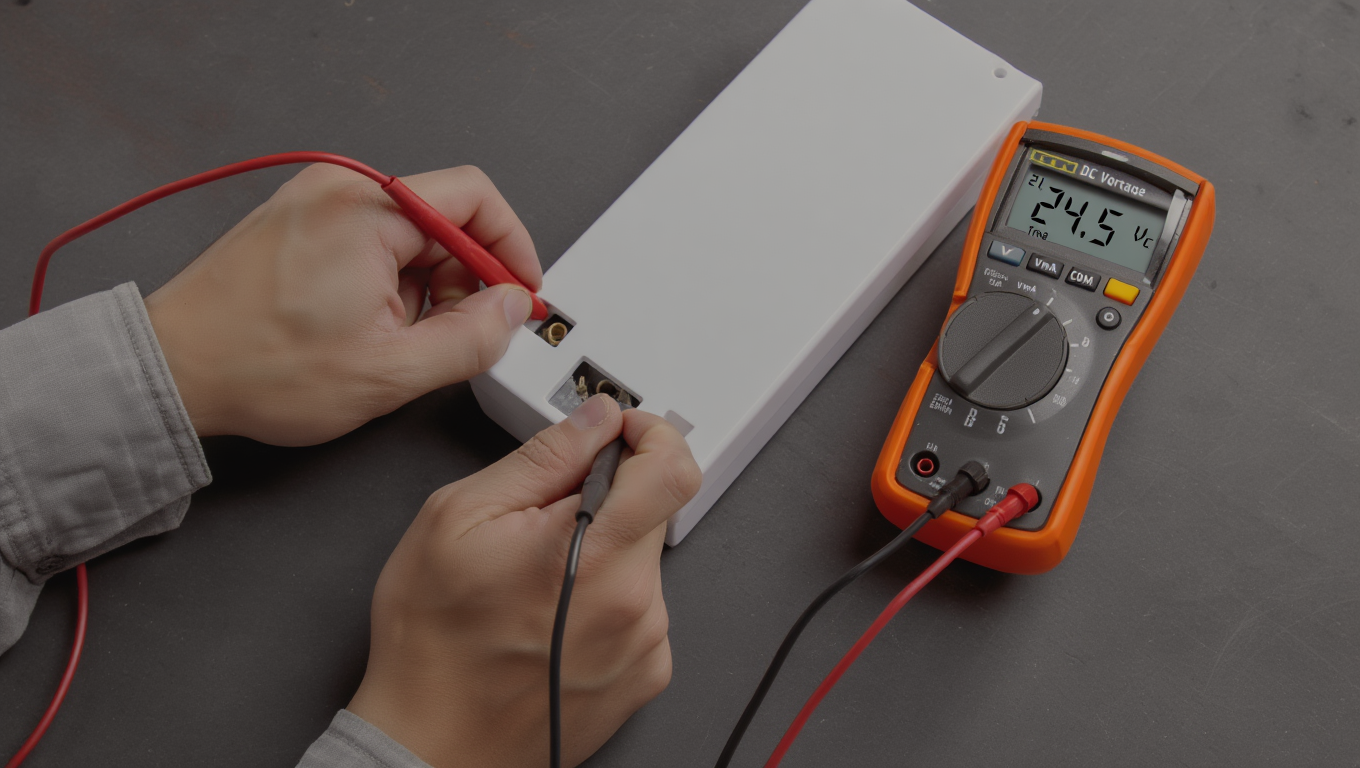
Testing with a multimeter can confirm whether the driver is outputting the correct voltage and current. Swapping the suspected faulty driver with a known good one is often the quickest way to diagnose the problem.
OEM drivers generally have tighter tolerances and higher reliability than budget aftermarket options. Choosing high-quality drivers reduces the likelihood of sudden failure and ensures consistent performance over time.
Dimming or Reduced Brightness
Over time, drivers may degrade, causing LEDs to appear dimmer than intended. Heat buildup is a common contributor, as elevated temperatures can weaken components inside the driver. Using a driver that is incompatible with dimmers or LED controllers can also lead to unexpected dimming.
Regular inspection and maintaining adequate ventilation can prevent overheating and maintain consistent brightness. In some cases, replacing the driver with a model rated for higher temperatures or wattage resolves the issue effectively.
Buzzing or Unusual Noise
A buzzing or humming sound from an LED fixture often points to driver problems. Low-quality drivers or loose components inside the driver can create audible noise, which is especially noticeable in quiet rooms.
While minor buzzing may not immediately affect performance, it indicates potential internal stress and impending failure. Secure installation, using high-quality drivers, and avoiding overloading the system helps prevent these issues. In extreme cases, replacing the driver entirely is the safest solution.
Overheating and Short Lifespan
Even the best drivers can overheat if installed improperly. Excessive heat shortens lifespan and can permanently damage both the driver and connected LEDs. Installing drivers in poorly ventilated spaces, stacking multiple units without airflow, or exceeding wattage ratings increases heat accumulation.
Homeowners should follow manufacturer guidelines for placement, use drivers rated for their specific temperature ranges, and consider adding passive or active cooling in high-power applications.
Step-by-Step Troubleshooting Guide
Safety First
Before attempting any troubleshooting, safety must be your top priority. LED drivers are electrical components, and improper handling can lead to shocks or equipment damage. Always turn off the power at the breaker before inspecting or handling the driver. Use insulated tools and avoid touching exposed wires or terminals.
For installations in damp or outdoor locations, ensure the area is dry, and consider wearing protective gloves. Following manufacturer guidelines and local electrical codes is critical for both personal safety and the longevity of your LED system.
Inspect Connections and Wiring
Loose, corroded, or incorrectly wired connections are among the most common causes of LED driver issues. Begin by carefully inspecting the input and output wiring, ensuring that all terminals are secure and free of debris. Polarity matters—LEDs are polarity-sensitive, and reversing connections can prevent them from illuminating.
Check for signs of overheating, discoloration, or melting around connectors, which can indicate high resistance or improper contact. Securing wires properly often resolves flickering, dimming, or partial lighting issues without replacing the driver.
Test the LED Driver
Testing the driver with a multimeter is an effective way to determine whether it is functioning properly. Measure the output voltage and current to ensure they match the driver’s specifications and the requirements of your LED system. If the readings fall outside acceptable ranges, the driver may be defective or incompatible with your LEDs.
For more complex troubleshooting, swapping the suspected faulty driver with a known working one allows you to identify whether the issue lies with the driver or the LED fixture. OEM drivers are generally more reliable in these tests, as they adhere strictly to specifications.
Check Compatibility
Compatibility between the LED driver and your LEDs is critical for proper operation. Using a constant voltage driver with constant current LEDs—or vice versa—can cause flickering, dimming, or permanent damage. Ensure that the driver’s wattage rating is appropriate for the total load of the connected LEDs.
Overloading a driver can shorten its lifespan and increase the risk of overheating. Likewise, underpowering LEDs can cause dimming or inconsistent performance. Verifying specifications before installation prevents these common problems and ensures a stable lighting system.
Replace or Repair
If testing and inspection confirm a faulty driver, replacement is usually the most reliable solution. Repairing LED drivers can be risky due to complex internal components and safety concerns. Choose a driver that matches the required voltage, current, and wattage, preferably from a reputable brand. ]
OEM drivers are often more expensive but provide higher reliability, longer lifespan, and warranty protection. For DIY installations, selecting a plug-and-play driver designed for your specific LED system simplifies replacement and reduces the risk of errors.
Preventive Measures and Maintenance
Avoid Overloading the Driver
Overloading is one of the leading causes of LED driver failure. Always calculate the total wattage of connected LEDs and choose a driver with a sufficient margin above the total load.
For example, if your LED strip system consumes 60 watts, a driver rated for 80 watts provides a buffer to handle minor fluctuations and prevent stress on the components. Avoid daisy-chaining multiple high-load LEDs onto a single driver unless the specifications explicitly allow it.
Ensure Proper Ventilation
Heat is the enemy of LED drivers. Installing drivers in enclosed spaces without airflow increases temperature and accelerates component degradation. Whenever possible, mount drivers in ventilated areas or use drivers designed for higher operating temperatures.
For high-power LED installations, consider adding active cooling or heat sinks to maintain optimal temperature. Proper ventilation not only extends driver life but also stabilizes LED performance, preventing flickering or dimming caused by thermal stress.
Use Surge Protection
Voltage spikes or surges can instantly damage LED drivers. Installing surge protectors in the circuit helps safeguard drivers from unexpected power fluctuations.
This is especially important in regions prone to unstable electrical supply or during storms. High-quality drivers often include built-in surge protection, but additional protection ensures peace of mind and prevents costly replacements.
Regular Inspection
Routine maintenance helps identify potential issues before they cause failures. Periodically inspect drivers for signs of discoloration, corrosion, dust accumulation, or unusual noises.
Ensure that wiring remains secure and that the driver is operating within its rated temperature range. Catching minor problems early can prevent complete failure, extending the life of both the driver and connected LEDs.
Conclusion
LED driver issues are among the most common causes of flickering, dimming, or non-functioning LED systems. Understanding how drivers work, recognizing common problems, and following structured troubleshooting steps can save time, money, and frustration. Safety, proper wiring, and compatibility checks are critical for stable performance.
Preventive measures, such as avoiding overload, ensuring ventilation, using surge protection, and regular inspection, extend driver and LED lifespan. For long-term reliability, choosing high-quality, certified LED drivers from reputable brands is essential. Explore our selection of tested LED drivers and accessories to ensure your lighting performs flawlessly.
FAQs
How do I know if my LED driver is bad?
Signs include flickering, dimming, buzzing, or LEDs failing to turn on. Testing with a multimeter can confirm if the voltage and current output are within specifications. Replacing the driver is usually the safest solution if readings are abnormal.
Can I use a different driver than the one that came with my LED?
Yes, but it must match the LED type (constant current vs constant voltage), output specifications, and total wattage. Using an incompatible driver can cause flickering, dimming, or permanent LED damage.
Why do my LEDs flicker even with a new driver?
Flickering can occur due to incompatible dimmers, loose wiring, voltage fluctuations, or poor-quality drivers. Ensure proper installation, compatible controls, and secure connections to resolve the issue.
How long should an LED driver last?
High-quality drivers typically last 25,000–50,000 hours, depending on heat management, load, and environmental factors. Poor ventilation, overloading, or voltage spikes can significantly reduce lifespan.
Can a faulty driver damage my LEDs?
Yes, an unstable or incorrect driver can overheat, underpower, or supply excessive current, potentially causing LEDs to fail prematurely or degrade their color and brightness.